
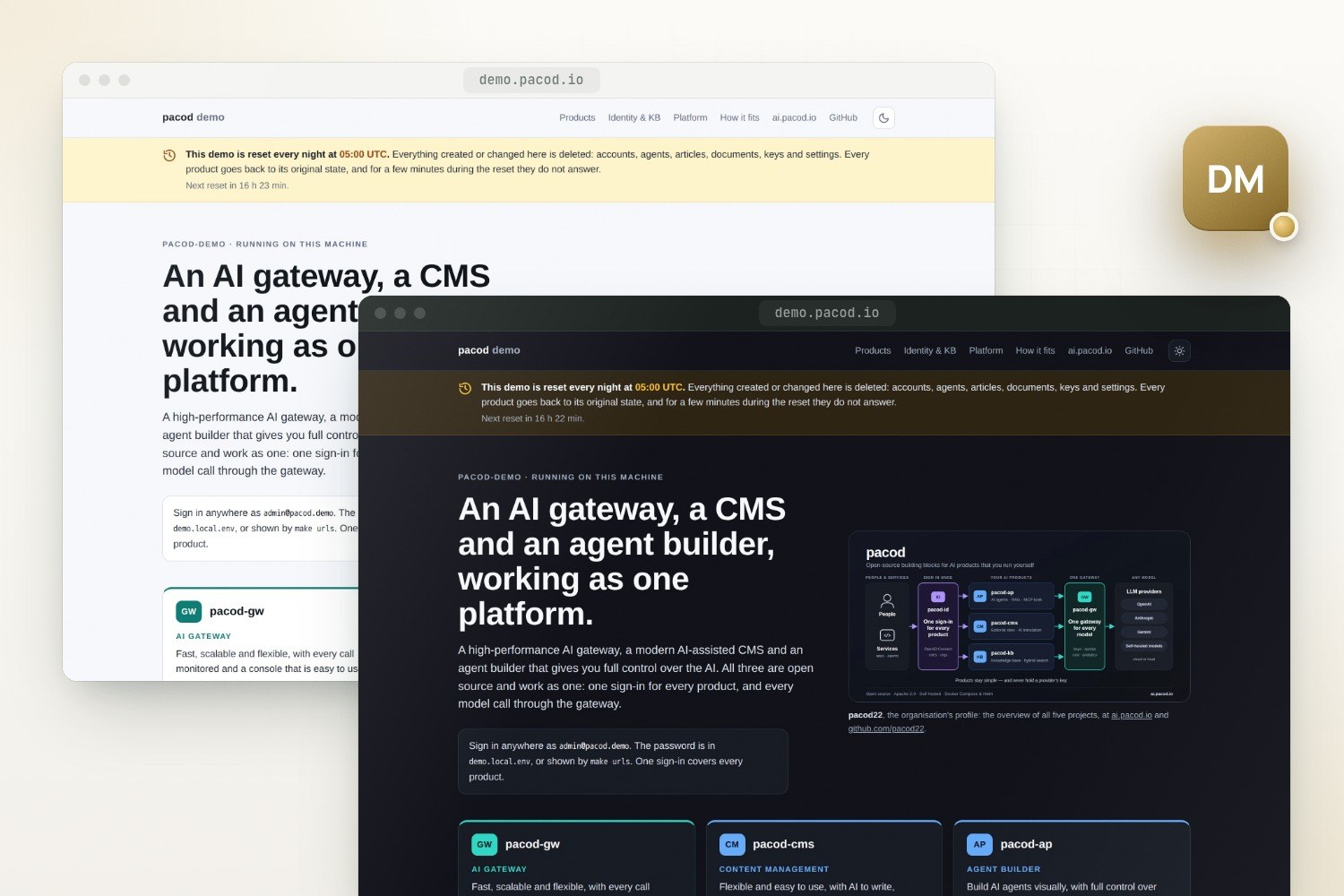
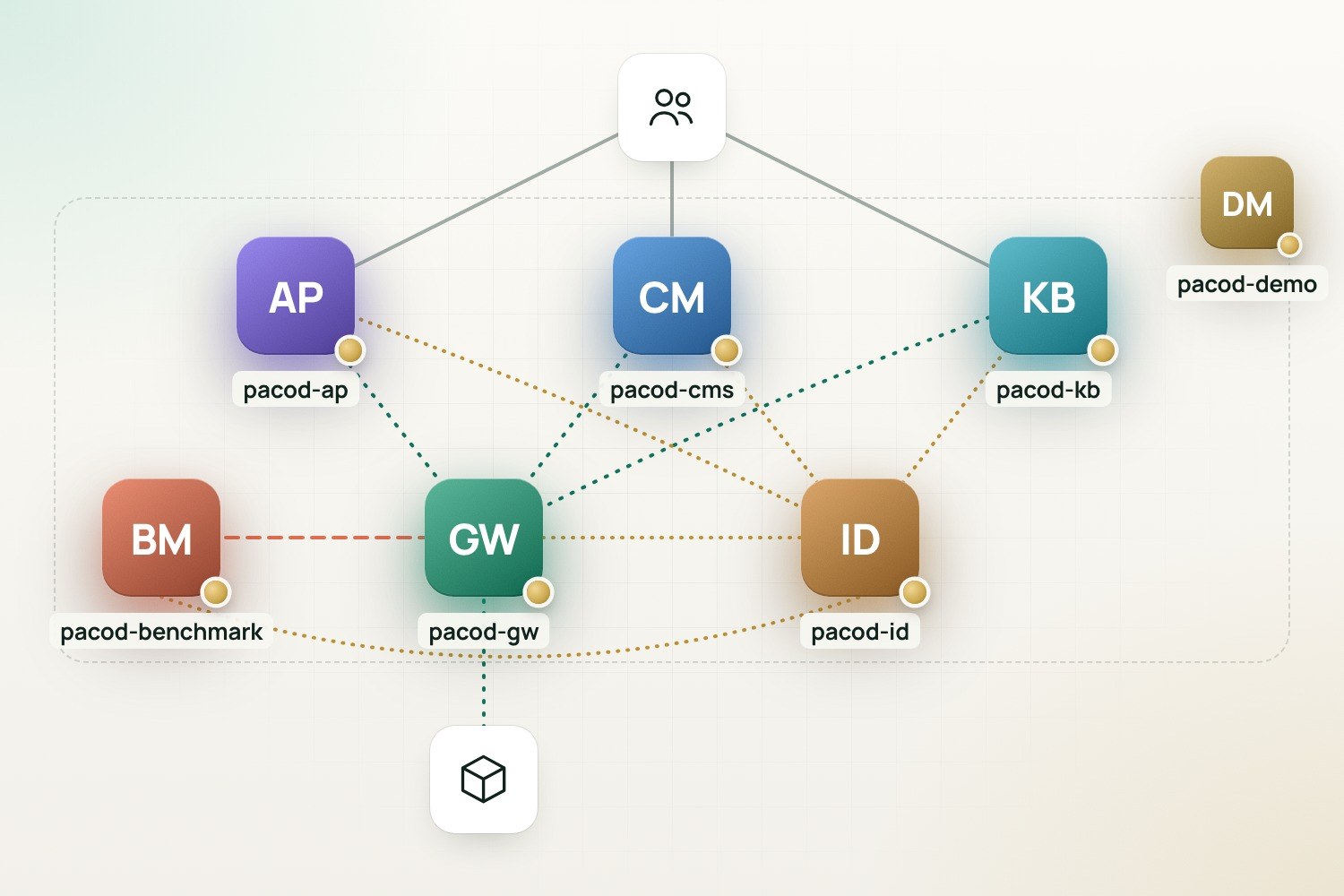
pacod-demo runs identity, the AI gateway, the agent platform, the CMS, the knowledge base and the gateway's benchmarks together on one machine, from one configuration file and one make. It includes each repository's own compose file unchanged, shares one of each common component between them, introduces the products to each other and checks that they work as one; every night it goes back to a known state.
The whole stack
- Licence: No licence file yet
- Version: 0.1.0 · Preview
- Written in: Shell, Python
- Tech stack: Docker Compose, Caddy, PostgreSQL, Qdrant, Prometheus, Grafana, OpenTelemetry, Mailpit, Playwright
- View on GitHub · Open an issue
- Try the live demo
Features
One home page
Every product with what it is, a screenshot and the links to its administration and its websites, by day or by night.
One sign-in
One pacod-id realm for every product. Signing in to one signs you in to all of them.
One gateway
Every product's model calls go through pacod-gw, each with a key of its own. With no provider key, its mock provider answers and nothing leaves the machine.
One of each
One Caddy, one PostgreSQL, one Qdrant, one embeddings service, one mail sink and one monitoring stack, shared by every product.
The repositories' own files
The six compose files are included unchanged; a small overlay per repository only sets addresses and secrets and removes published ports.
Reset every night
At 05:00 UTC by default, every product's data goes back to the baseline. Whatever is changed is gone after the next reset.
Dashboards and mail
Grafana with every product's dashboards, Prometheus for ad-hoc queries, and a viewer for every mail the stack sends.
Checked as one platform
make verify checks the edge, the internal network, single sign-on into five products, the products' gateway keys, the knowledge base, the websites and the benchmark.
Ready for a domain
HTTPS with one certificate for the domain, its subdomains and the websites' domain; published beyond the machine, the laptop-only tools close.
Screenshots
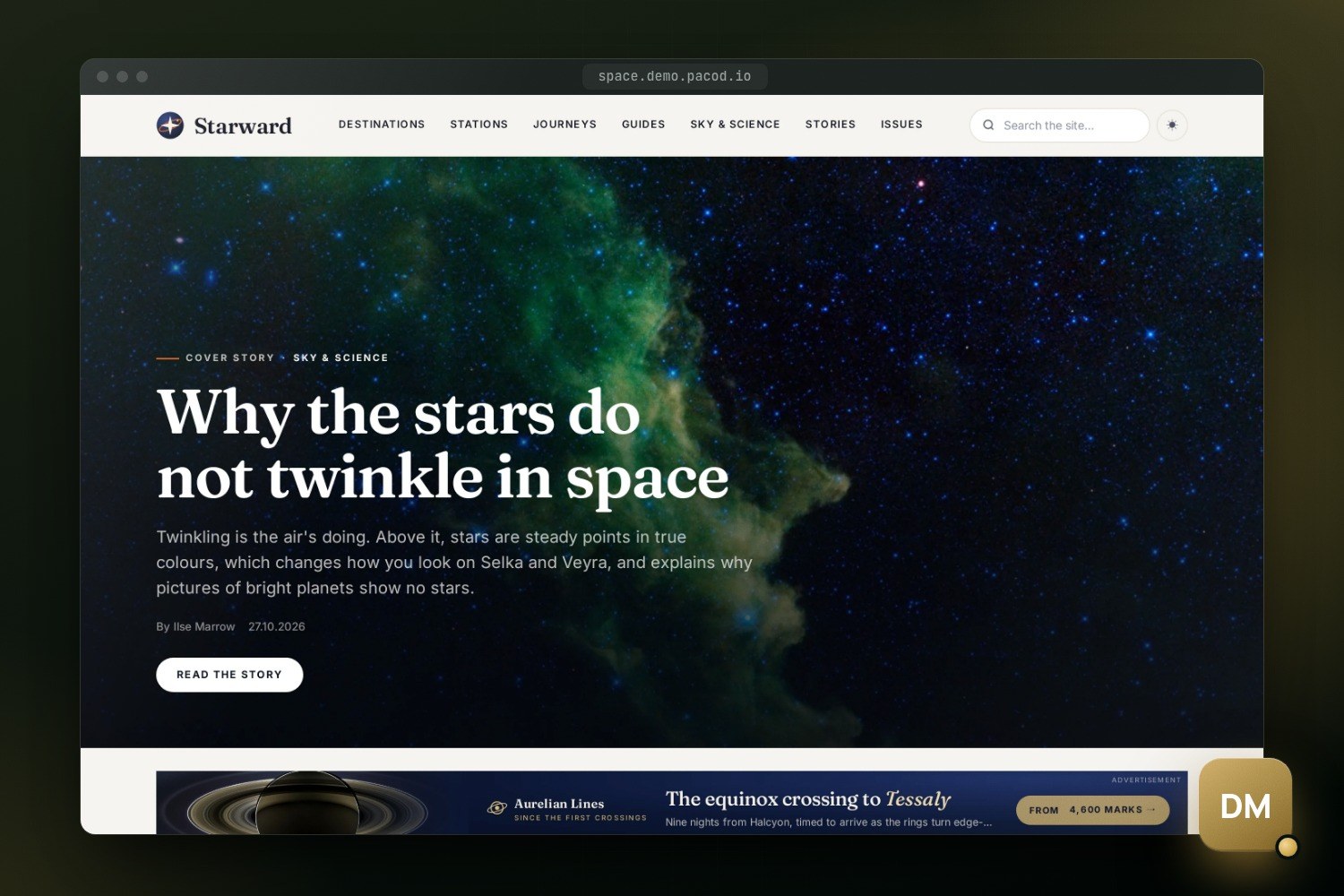
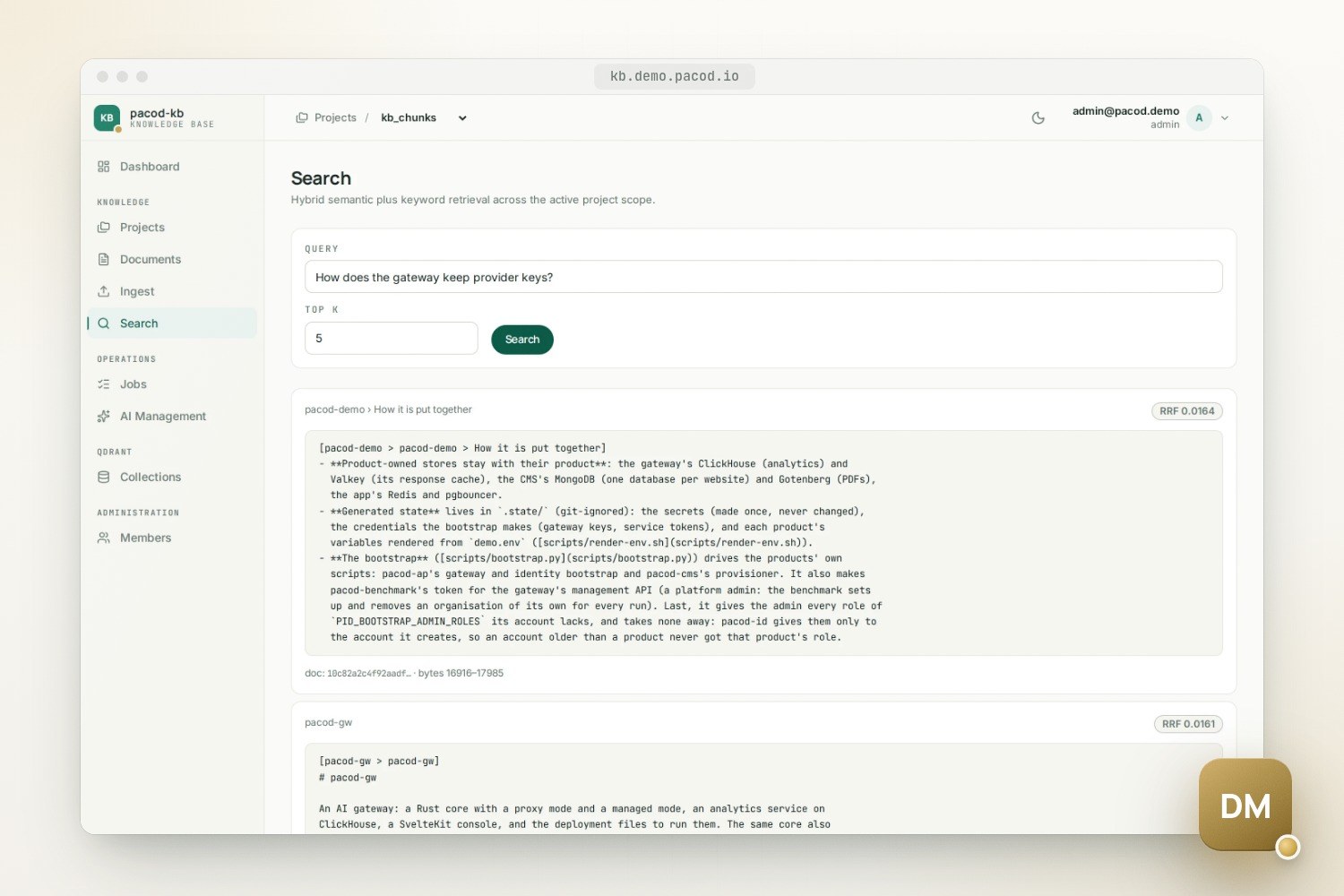
Try it
The demo runs at demo.pacod.io, and its home page leads to everything else: every product, with what it is, a screenshot, and the links to its administration and its websites. Each product answers on a subdomain of its own, all behind one edge:
| Address | What |
|---|---|
demo.pacod.io |
The home page: every product, with its links |
app.demo.pacod.io |
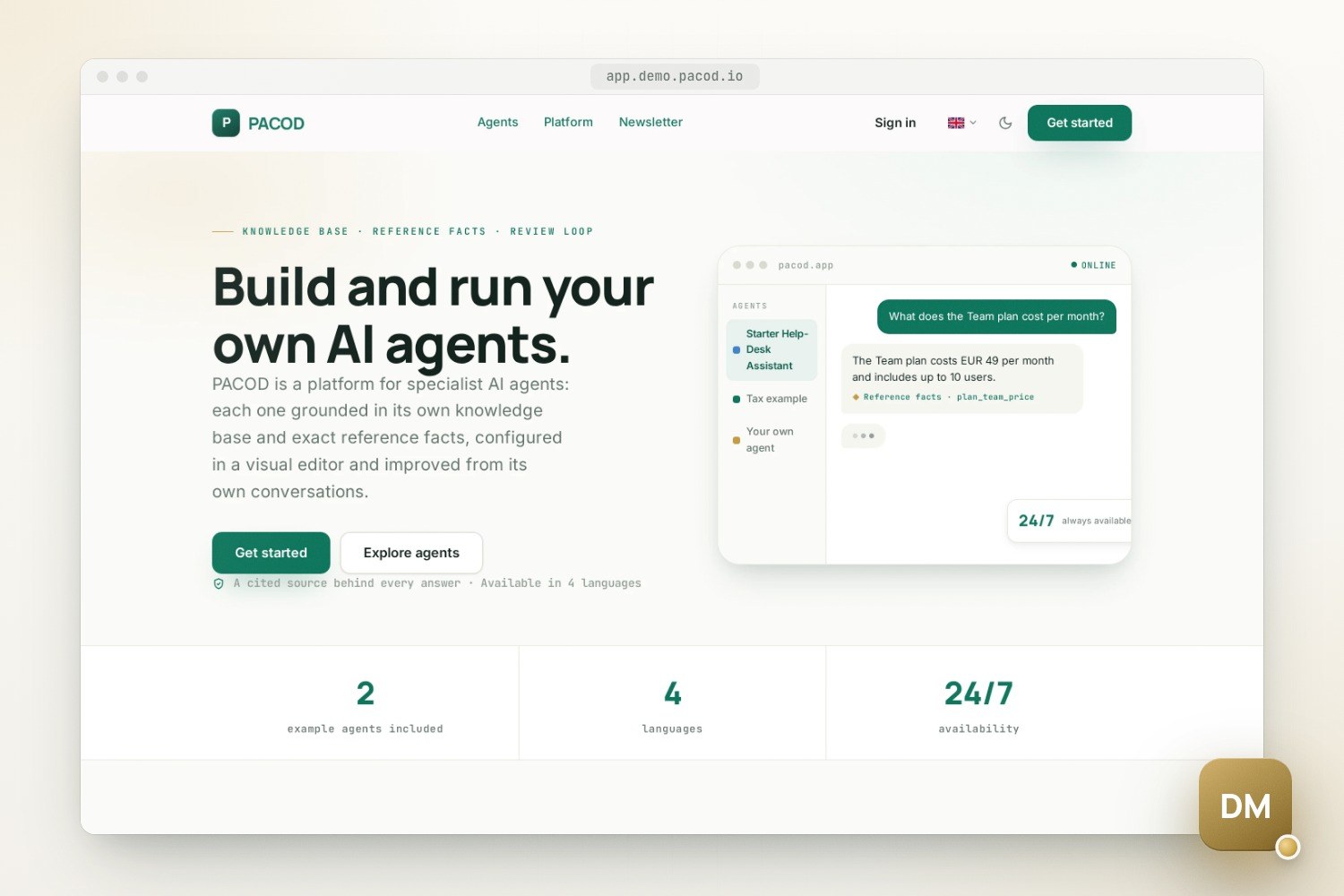
The agent platform (pacod-ap): its website, chat and admin console |
console.demo.pacod.io |
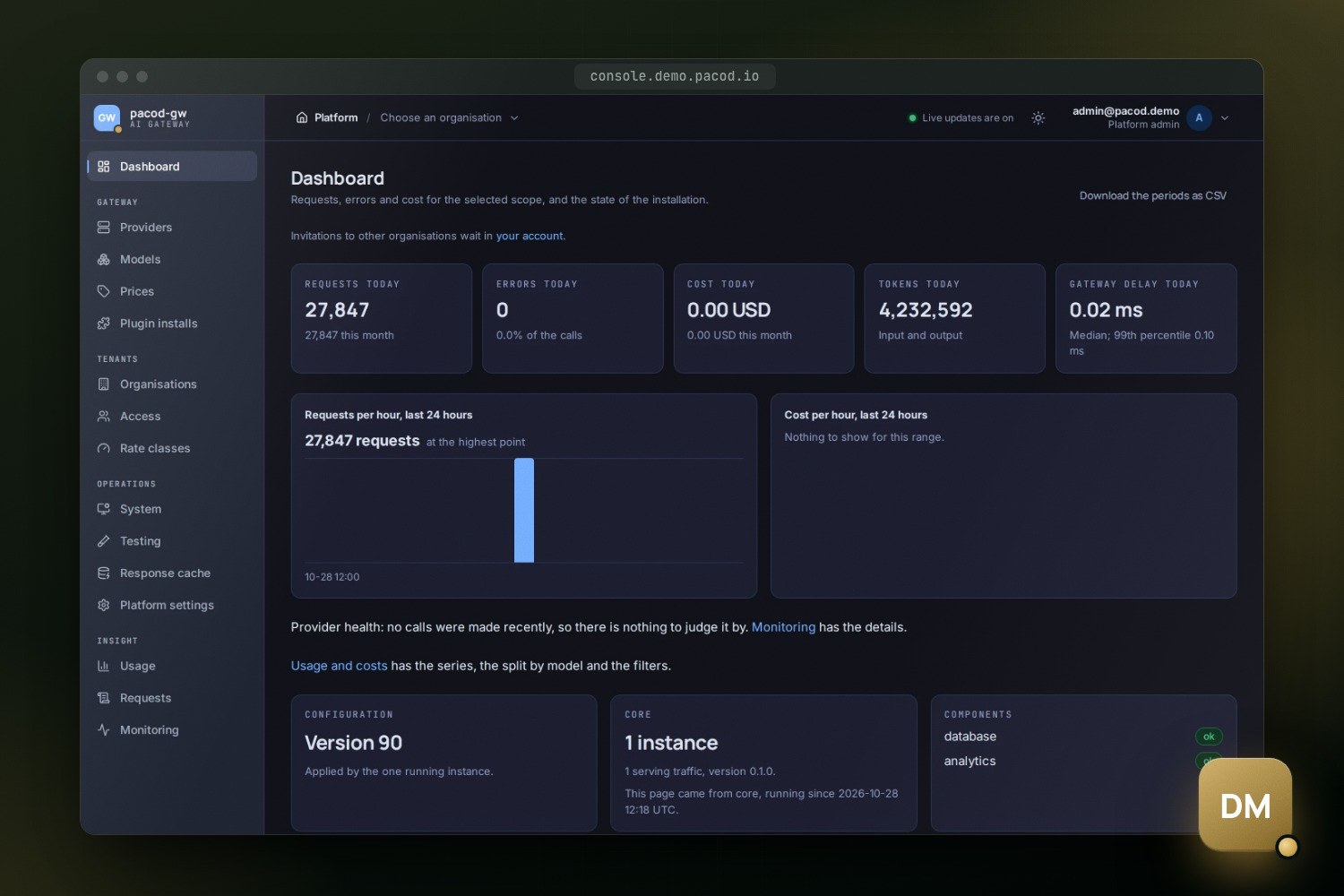
The gateway console (pacod-gw): providers, models, keys, usage |
gw.demo.pacod.io/v1 |
The gateway's OpenAI-compatible API, for a gateway key |
studio.demo.pacod.io |
The CMS studio (pacod-cms) |
cms.demo.pacod.io |
Demo Journal, a CMS website; Demo Notes is at minimal., Starward at space. |
kb.demo.pacod.io |
The knowledge base (pacod-kb) |
bench.demo.pacod.io |
The gateway's benchmarks (pacod-benchmark): suites, runs, comparisons |
id.demo.pacod.io/admin |
Identity administration (pacod-id) |
grafana.demo.pacod.io |
The dashboards of every product |
mail.demo.pacod.io |
Every mail the stack sends |
prometheus.demo.pacod.io |
The metrics, for ad-hoc queries |
One sign-in covers every product: signing in to one signs you in to all of them. There is no sign-up: accounts come from the administrator and by invitation, and without one the websites and the products' public pages are open to everyone. Grafana, Prometheus and the mail viewer ask for the admin's email and password instead. Everything changed is undone at the next nightly reset.
Why it exists
Each PACOD project runs on its own, with its own copies of what it needs: a database, an edge, a sign-in, a gateway. That is the right way to try one. It is not how they are meant to be used together, and it does not show what they add up to.
pacod-demo is the other way round. It puts the six products on one machine, as one platform, with one of each shared component, and shows what only appears when they run together: one sign-in that every product honours, one gateway that every model call goes through and that prices them all, a benchmark that measures that same gateway, and one set of dashboards for the whole stack. It is also the reference for how the products are meant to be put together: the network and naming convention it relies on, docs/NETWORK.md, is followed by every repository.
How it is put together
The stack is one compose project, pacod-demo: 42 services, two of which run once at the start
and stop (43 with the optional ingestion).
| From | What runs in the demo | Names |
|---|---|---|
| pacod-id | The identity provider, with one realm for every product | pacod-id |
| pacod-gw | The core, analytics, console, tester, ClickHouse, the response cache's Valkey, the mock provider, and the load agent and load mock of its load tests | pacod-gw, gw-* |
| pacod-ap | The API, admin API, MCP server, workers, frontend, Redis and pgbouncer, the shared embeddings service, and the exporters its monitoring ships | ap-*, pacod-embeddings, the exporters |
| pacod-cms | The websites, the studio, MongoDB and Gotenberg | cms-* |
| pacod-kb | The pipeline and the UI | kb-* |
| pacod-benchmark | The API and the UI | bench-* |
| pacod-demo | Caddy, PostgreSQL, Qdrant, Mailpit, Prometheus, Alertmanager, Grafana and the OpenTelemetry collector | pacod-* |
- Two networks, unique names. Every container joins the external Docker network
pacod-netunder a name unique across the repositories: shared components arepacod-*, everything else carries its owner's prefix. The listeners only servers should reach, the gateway's management API, pacod-id's internal listener and the benchmark's API, are on a second network,pacod-admin-net, which is internal (no route out). Each binds to an alias that exists there alone, and only their callers join it. - The repositories' own compose files. Each repository splits its compose setup into an app
file, with its own services, and a standalone file, with its own copies of the shared
components for running it alone.
compose.ymlincludes the six app files unchanged, with the gateway's development and load-test files. A small overlay per repository only removes published ports, sets the demo's secrets and public addresses, and points settings at the demo's files. - One of each shared component.
platform.ymlwrites none of them from scratch: eachextendsthe definition a repository already ships, and takes the products' contributions from theirplatform/directories, their Caddy site blocks, database scripts, Prometheus jobs, rules and dashboards. PostgreSQL has a database and an owner role per product. - Product-owned stores stay with their product: the gateway's ClickHouse and Valkey, the CMS's MongoDB (one database per website) and Gotenberg, and the agent platform's Redis and pgbouncer.
- Generated state lives in
.state/, which git ignores: the secrets, made once and never changed; the credentials the bootstrap makes; and each product's variables, rendered fromdemo.env.
What make up does
- Preflight. Docker and Compose 2.24 or newer, memory and disk, the six sibling checkouts on the shared-network layout, no other pacod stack holding the shared names, the admin's password, the certificate and the ports. A blocking problem stops it here.
- Networks and secrets. It creates
pacod-netand the internalpacod-admin-net, then generates every secret once into.state/secrets.env. If the secrets are gone but the volumes are not, it refuses, rather than make new secrets the data cannot use. - Render.
demo.envbecomes each product's own variables in.state/env/<product>.env. - Start. Compose starts the project and waits until every service is healthy. The first start builds every image from source and downloads the embedding model.
- Bootstrap. It drives the products' own scripts, pacod-ap's gateway and identity bootstrap and pacod-cms's provisioner, to make the gateway keys and service tokens the products use to reach each other. It also makes pacod-benchmark's token for the gateway's management API (a platform admin: the benchmark sets up and removes an organisation of its own for every run), and gives the admin every role it lacks. The services that read these credentials are recreated.
- Seed. The agent platform's tables, the starter agent's reference facts and its development users.
- Baseline. On a fresh stack it waits until the CMS has written its three demo websites, then keeps the data as the baseline.
- Scheduler. It starts the nightly reset's container, then prints the addresses and the admin's password.
The nightly reset
Every day at DEMO_RESET_TIME (default 05:00) in DEMO_RESET_TIMEZONE (default UTC), the
demo undoes every change made to it: accounts, agents, articles, documents, keys and settings.
The home page announces it in a band under its header, with the time in the visitor's own zone
and how long until the next one.
- The baseline is the stack's data at one moment: what the first
make upmade, or whatmake baselinekeeps later. It holds every data volume (PostgreSQL, MongoDB, Qdrant, ClickHouse, Redis, the knowledge base's and the app's files, Grafana, Alertmanager), the CMS's files and the bootstrap's credentials, compressed in the Docker volumepacod-demo-baseline. - Not in it: the models, Prometheus's metrics, the edge's own data and the gateway's response cache, which lives in memory: every reset empties it.
- Benchmarks go back too: pacod-benchmark's runs and schedules, the gateways added in its UI, and the reports published to the gateway console. A report worth keeping is downloaded from its run's page; the console takes it back by upload.
- How. Every service but the edge stops, so the home page stays up while the products answer
502 for a few minutes. The baseline is copied back, the stack starts, and the bootstrap runs
again, which also applies a provider key added since.
make resetdoes the same, now. - The scheduler is the container
pacod-demo-reset, outside the compose project because a reset stops the project. It skips a night when the stack is not running or the machine was asleep. An emptyDEMO_RESET_TIMEturns it off.
Configuration
Two files. demo.env is the configuration: the domains, the stack's and the websites', and the
ports, the certificate, the first administrator's email, the reset's time, the models each
product uses, the embedding backend, the optional component and the logging. Git ignores it;
the first make copies it from the committed template, demo.env.example, and stops so that it
can be edited. demo.local.env holds the machine's secrets, the administrator's password and
the LLM provider keys; git ignores it too, and what it sets wins.
# demo.local.env
DEMO_ADMIN_PASSWORD=a-long-passphrase
ANTHROPIC_API_KEY=sk-...
LLM providers. With no key set, every model call goes to the gateway's mock provider: the
demo runs offline and make verify is deterministic, but chat answers are canned. Add a key
(the agent platform's default models are Anthropic's) and run make bootstrap, and the gateway is
set up with the real provider. AP_PRIMARY_MODEL, AP_CLASSIFIER_MODEL, CMS_AI_MODEL and
KB_LLM_MODEL choose the models the products ask the gateway for.
The embedding backend is fixed at the first make up, because the stored vectors depend on
it. The default, auto, runs BGE-M3 when Docker has about 8 GB of memory and a light stand-in
below that; switching later needs make clean.
The optional ingestion component runs the agent platform's document ingestion and loads the
starter agent's knowledge base; without it the agent answers from its reference facts only. It is
an image of about 10 GB that may use 7 GiB of memory, so it wants 16 GiB for Docker.
Logs. Every product logs in one shared format, one event per line with the same keys
everywhere (docs/LOGGING.md).
DEMO_LOG_LEVEL and DEMO_LOG_FORMAT (text or json) set them all, and the edge's request log.
The CMS's demo websites are written on the studio's first start only. make cms-seed fills a
website that has no articles, and make cms-space creates Starward on a stack started before it
existed. Starward and the home page can also be given a Google Analytics tag and a Search Console
verification in demo.env; left empty, as by default, nothing of Google's is on the page.
Security
- One published port. Only the edge,
pacod-caddy, publishes ports; every other service is reachable on the Docker networks only. The listeners for servers sit on the internalpacod-admin-net, bound to aliases thatpacod-netcannot reach. - Secrets. Every secret is generated once on the machine and never committed. The admin's password must have 12 characters or more (pacod-id refuses a shorter one); left empty, one of 24 is generated.
- The websites' domain. A CMS website runs its owner's script, which on the studio's
registrable domain could set cookies that the studio and the sign-in receive. So the websites
get a domain of their own (
DEMO_SITE_DOMAIN); on the studio's, the studio refuses to start.DEMO_SITE_DOMAIN_SHARED=trueputs them under the demo's domain instead, for a demo whose websites are all trusted, over HTTPS only. demo.pacod.io does this: its websites are all its own. - Published beyond the machine (
DEMO_BINDother than a loopback address), the demo closes what is only safe on a laptop: the mail viewer, Prometheus and Grafana ask for the admin's email and password, the gateway console's/grafanaanswers 403, the home page does not name the admin, and the agent platform's development tokens are off. The products' own administration is behind their sign-in as always. - Certificates are provided, not obtained: one certificate for the domain, its subdomains and the websites' domain.
On a domain, or on a laptop
With DEMO_TLS_CERT and DEMO_TLS_KEY set, the stack answers on HTTPS and plain HTTP only
redirects to it. The DNS needs the domain, its wildcard and the websites' wildcard pointing at the
server; before it is set, make hosts prints /etc/hosts lines to try it.
The committed template is the public server's. For a demo on one machine only, demo.env needs
five settings:
DEMO_DOMAIN=localhost
DEMO_TLS_CERT=
DEMO_TLS_KEY=
DEMO_HTTP_PORT=8800
DEMO_BIND=127.0.0.1
Everything is then plain HTTP at http://<name>.localhost:8800, which browsers resolve without
any DNS (Safari may not: use another browser, or make hosts).
What it needs
- Docker with Compose 2.24 or newer, and make. Everything else, from the secrets to the checks, runs in containers.
- The six product repositories checked out next to this one.
- About 8 GB of memory for Docker. The whole stack with the real embedding model used about 5 GiB when measured, before pacod-benchmark joined; the benchmark with the gateway's load agent and load mock adds under 100 MiB at rest. With the light stand-in, about 4 GiB.
- About 30 GiB of disk for the images. The first
make upbuilds every image from source, three Rust workspaces, a Maven build, several Python images and three SvelteKit apps, and takes 30 to 60 minutes. Later starts take about two minutes.
make down stops the stack and keeps the data; make clean removes everything the demo made.
After pulling new versions, make build rebuilds the images (make up builds only missing
ones), and make reset followed by make baseline makes the migrated data the new baseline.
What is tested, and its limits
make verify checks the running stack end to end and exits 1 when anything fails:
| Part | What it checks |
|---|---|
| Docker | One of each shared component, only the edge publishing a port, no service stopped or unhealthy, pacod-admin-net internal and joined only by the listeners' callers |
| Edge and health | Every product's address and health endpoint, every Prometheus target up, the gateway's and the app's rules and dashboards loaded |
| Single sign-on | The admin signs in once and is let into the app, the gateway console, the studio, the knowledge base and the benchmark without signing in again, and holds every role it should |
| Gateway | The agent platform's, the CMS's and the knowledge base's keys each list models and complete a chat; a repeated call is answered from the response cache |
| Products | A streamed chat turn through the gateway (on a laptop only); a document ingested, found and deleted in the knowledge base; Demo Journal rendering, and Starward on the magazine set |
| Benchmark | Its token is a platform admin of the gateway, and the gateway takes its reports |
Its limits:
- The benchmark's load agent runs on the same machine as the gateway: its figures show how the gateway behaves, not its capacity.
- The memory figures were measured before pacod-benchmark joined the stack.
- A reset makes the products unavailable for a few minutes, and the scheduler skips a night when the machine was asleep.
- Without a provider key every answer is the mock's; with one, the calls are real and cost money.
- A stack started before Starward existed, or with its earlier version, needs a manual step to get it; the README has it, with the full list of settings and a troubleshooting table.
Quick start
Get the seven repositories side by side
mkdir pacod && cd pacod
for r in pacod-demo pacod-id pacod-gw pacod-ap pacod-cms pacod-kb pacod-benchmark; do git clone https://github.com/pacod22/$r.git; done
Set it up for this machine only
cd pacod-demo
cp demo.env.example demo.env
printf '%s\n' DEMO_DOMAIN=localhost DEMO_TLS_CERT= DEMO_TLS_KEY= DEMO_HTTP_PORT=8800 DEMO_BIND=127.0.0.1 >> demo.env
Build, start and check the stack
make up
make verify
open http://localhost:8800
Works with
- pacod-id: The one identity provider of the stack, with one realm that every product signs in with; the bootstrap gives the admin every product's role.
- pacod-gw: The one gateway of the stack, started with its response cache on; the bootstrap gives each product its own gateway key.
- pacod-ap: Runs the starter agent, a small fictional help desk, with its website, chat and admin console.
- pacod-cms: Runs the studio, with its AI writing help, and three demo websites, Demo Journal, Demo Notes and Starward.
- pacod-kb: Runs the knowledge base on the shared Qdrant, PostgreSQL and embeddings service.
- pacod-benchmark: Benchmarks the stack's own gateway on the gateway's load agent and mock; its reports show in the gateway console.
The pacod-demo repository has no licence file yet. Each product it runs has its own licence, stated in its repository and on its page.