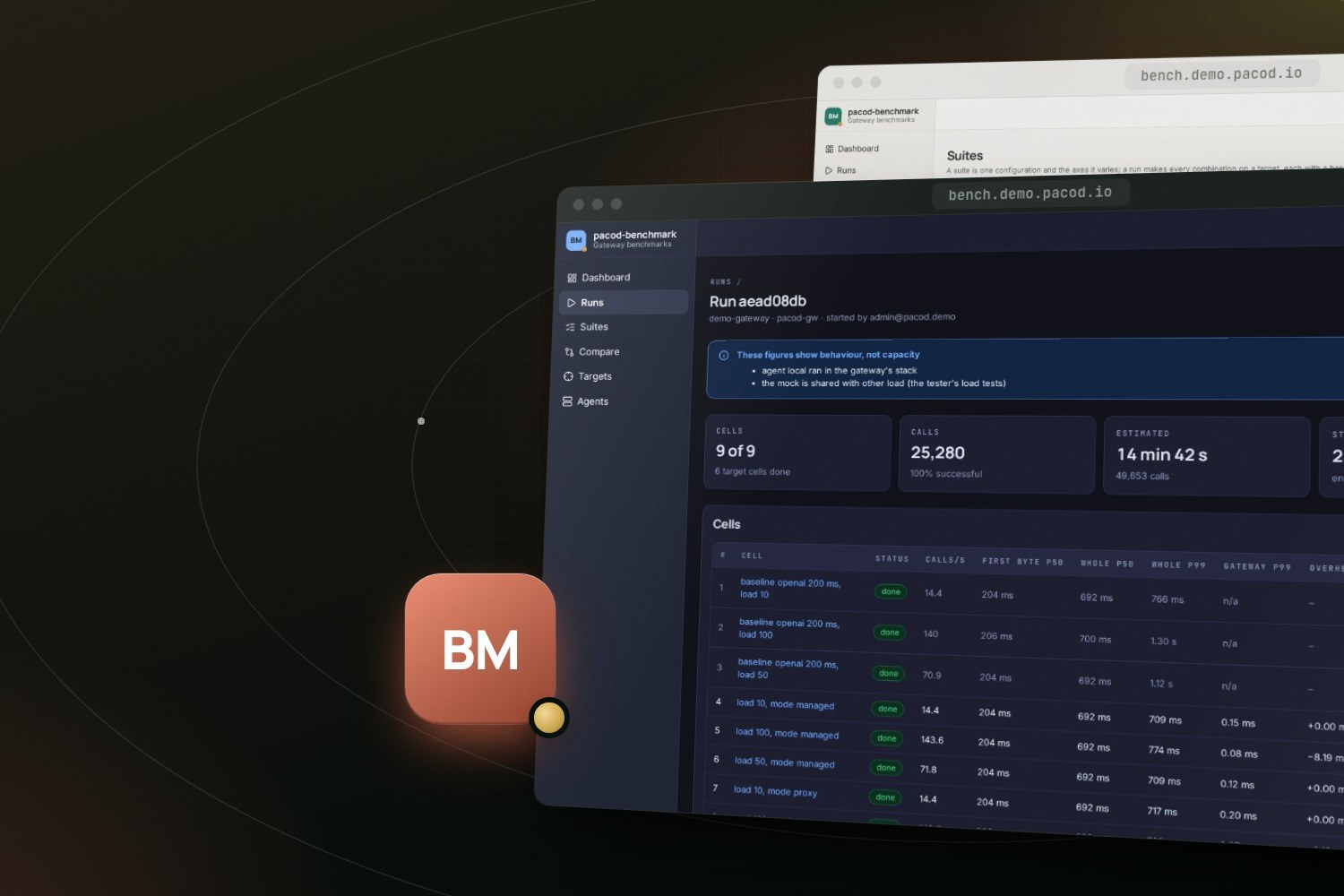
What does the gateway add to a call? That is what pacod-benchmark measures. It loads pacod-gw, or any other gateway, in many configurations in one run, measures each against a baseline that calls the mock provider directly, and says on every result what its figures can be taken for. This post shows how a suite becomes a run, walks through one real run on the demo gateway, and explains why that run calls itself behaviour, not capacity.
The question
Every LLM call of the PACOD products goes through pacod-gw, so the gateway's own share of a call
matters. The gateway reports that share itself: every response carries x-gw-delay-ms, the time
the gateway added before the response head. That figure is useful, but it stops at the head. It
does not see the time spent relaying a stream, and it says nothing about what the network, the
machine or the client did.
The way to find what a gateway adds is to make the same calls twice, once through it and once without it, under the same load, and subtract. That is a baseline, and pacod-benchmark makes one for every cell: the same request and the same load, from the same agents, straight to the mock. A cell's overhead is its latency minus its baseline's.
One setting is not enough, either. The gateway's share changes with the mode (proxy or managed), the dialect, the response cache, audit mode, the load and the deployment. So a benchmark is a matrix, and the matrix is written as a suite.
A suite becomes cells
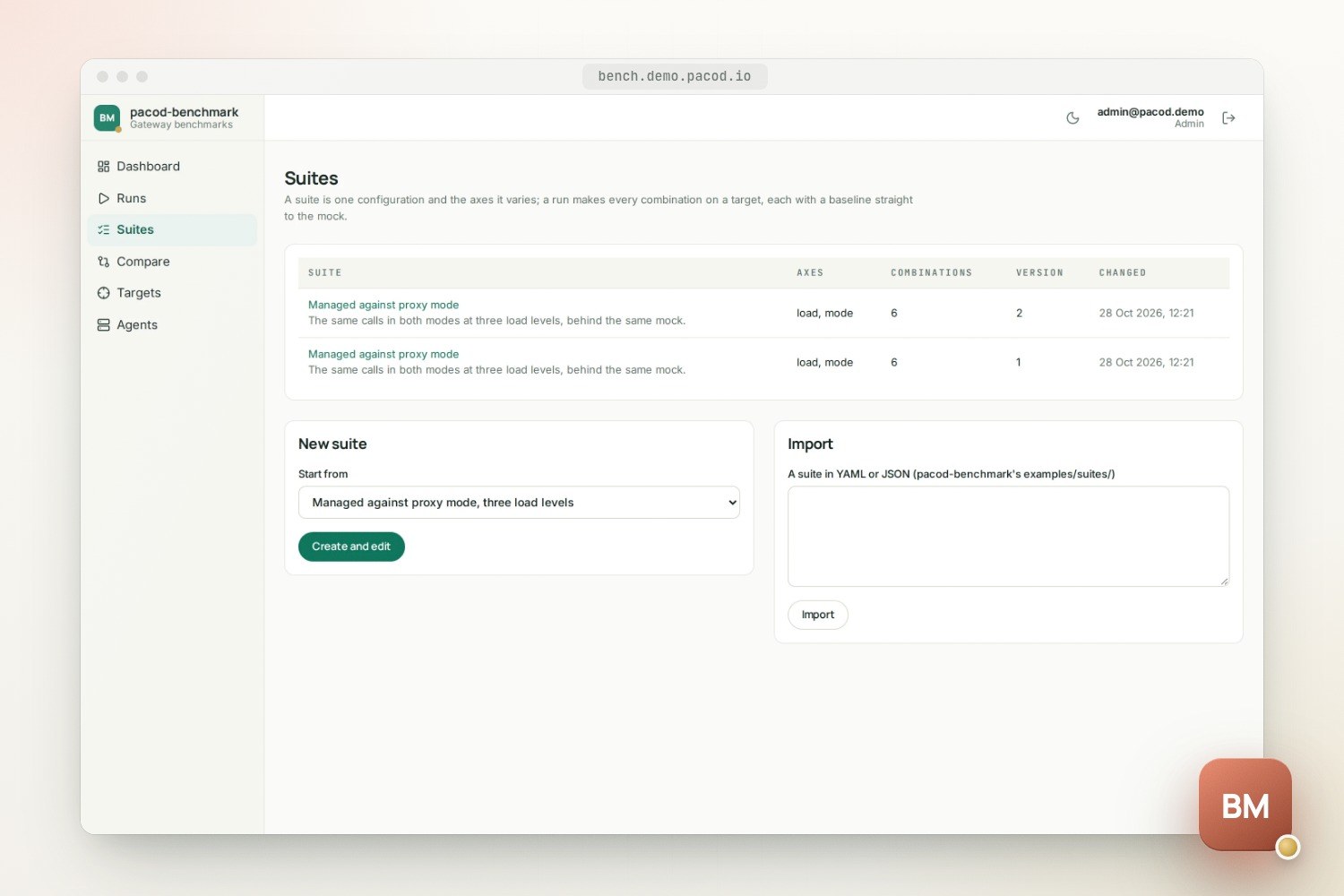
A suite is one base configuration and the axes it varies. This is the core of
examples/suites/modes.yaml, the example that the run below was made from:
name: Managed against proxy mode
base:
  request: { interface: openai, mode: managed, stream: true, prompt_words: 60, max_tokens: 64 }
  mock: { family: openai, delay_ms: 200, chunk_delay_ms: 20, chunks: 20 }
  load:
    mode: concurrency
    stages: [{ duration_s: 0, target: 10 }, { duration_s: 60, target: 10 }]
    warmup_s: 5
axes:
  request.mode: [managed, proxy]
  load.target: [10, 50, 100]
The mock answers its head after 200 ms and streams 20 chunks, 20 ms apart. The load is a closed loop: a number of callers, each starting a new call as soon as the last one ends, held for a minute after a jump. Two modes at three load levels make six cells, and the three load levels three baselines: nine in all.
An axis can name any field of the configuration by its dotted path: the interface, streaming, the mock's latency, the cache binding, the key's inspection, the load's stages. Combinations that cannot run are left out, and the plan says why; proxy mode, for one, needs the mock of its own dialect. What only a deployment decides, such as the cache store or the scale layout, is not an axis: each deployment is registered as a target of its own and given the same suite.
What a run does to the gateway
On a gateway it manages, pacod-benchmark sets each run's scene up through the management API: a scratch organisation, a workspace per variant, its own mock providers, and a key for each cell that allows only that cell's mode and model. Before each cell it waits until every gateway instance has applied the configuration, then watches for calls already in flight, expecting none. Then it starts the agents together, reads their seconds once a second and the gateway's own figures every two. Nothing is written to the gateway while a cell's load runs. Afterwards the scene comes down, keys first.
The calls themselves come from pacod-gw's load agents, the same ones the console's tester uses for its load tests. An agent runs one test at a time, so the benchmark and the tester never load the same agent at once.
One run on the demo gateway
The pictures in this post come from one run of that suite, made for them on a local copy of pacod-demo: the benchmark, the gateway, its agent and its mock, all on one machine.
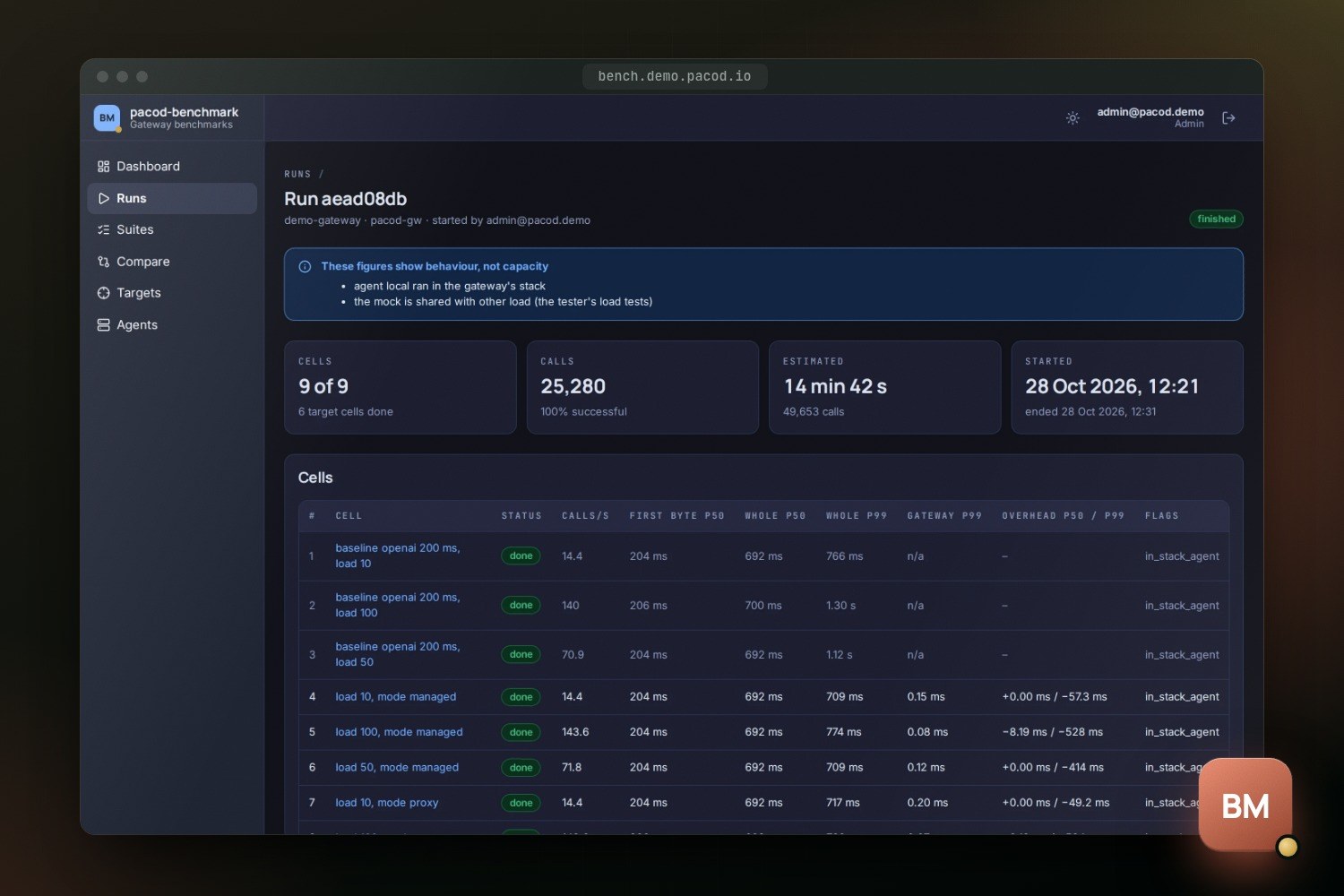
All nine cells finished, 25,280 calls in all, 100% of them successful. These are the rows the screenshot shows:
| Cell | Calls/s | Whole p50 | Whole p99 | Gateway p99 | Overhead p50 / p99 |
|---|---|---|---|---|---|
| Baseline, 10 at a time | 14.4 | 692 ms | 766 ms | n/a | – |
| Managed, 10 at a time | 14.4 | 692 ms | 709 ms | 0.15 ms | +0.00 / −57.3 ms |
| Proxy, 10 at a time | 14.4 | 692 ms | 717 ms | 0.20 ms | +0.00 / −49.2 ms |
| Baseline, 50 at a time | 70.9 | 692 ms | 1.12 s | n/a | – |
| Managed, 50 at a time | 71.8 | 692 ms | 709 ms | 0.12 ms | +0.00 / −414 ms |
| Baseline, 100 at a time | 140 | 700 ms | 1.30 s | n/a | – |
| Managed, 100 at a time | 143.6 | 692 ms | 774 ms | 0.08 ms | −8.19 / −528 ms |
The two proxy cells at 50 and 100 calls at a time are further down the page, outside the picture, and are not quoted here.
Some of this is plain arithmetic. Ten callers in a closed loop, each call taking about 0.69 s from start to end, make about 14.4 calls a second, and the table agrees. The first byte arrived at a median of 204 to 206 ms in every cell shown, against the mock's 200 ms. The gateway's own delay at the 99th percentile stayed between 0.08 and 0.20 ms.
The overhead column needs more care. A negative overhead is exactly what its definition says: the cell's latency minus its baseline's, and here the baselines' tails were slower than the cells'. It does not mean the gateway makes calls faster. The run's own page gives the reasons not to read these figures as the gateway's limits:
These figures show behaviour, not capacity: the load agent ran in the gateway's own stack, on the same machine, and the mock was shared with other load (the tester's load tests).
Behaviour or capacity
An agent on the gateway's machine takes CPU from the gateway, and Docker's network adds time of
its own. pacod-benchmark therefore counts a run as capacity only when every agent is declared
remote, none of them ran short of CPU or fell behind, no other traffic reached the gateway during
a cell, and the target declares its mock as its own. Anything less is behaviour, and the run
page and the report both say so, with the reasons.
In pacod-demo every run on the demo gateway is behaviour: the agent is the gateway's own, in its
stack, and the mock also serves the tester. Capacity figures need agents on other machines (pacod-gw's
deploy/load-agent/, or its Helm chart's loadAgent) and a mock of their own. The benchmark does
not hide that difference; it prints it at the top of the page.
Runs are compared two to six at a time, and only cells with the same comparison key share a row. The key is the SHA-256 of a cell's whole configuration, so a cell is only ever put beside one that ran exactly the same thing, on whatever target.
Reports go to the gateway
A finished run's report is in pacod-gw's own format, pacod-bench-report/1, built with the
gateway's own crate and checked by its own validation. Publish to pacod-gw sends it to the
console. Download gives the same bytes, which any pacod-gw console takes as an upload, and the
gateway keeps a report once per digest, so the same report twice is one. A report holds no secret:
target labels, the deployment's facts, the agents and where they stood, and the figures.
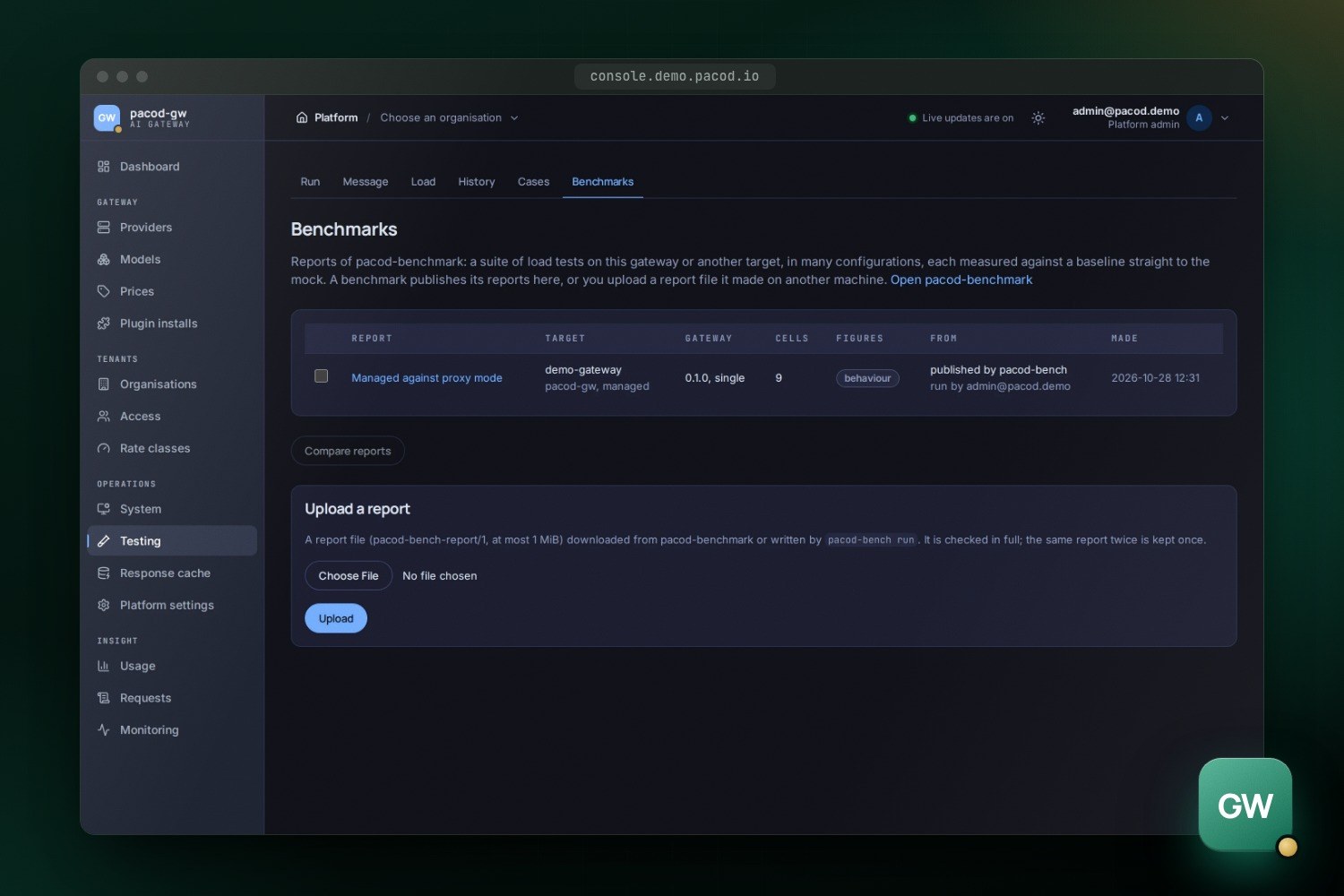
People sign in to the benchmark through pacod-id, and its roles say who may read, who may start runs and publish, and who may add gateways and agents. A run acts on a managed gateway with the benchmark's own platform-admin token, so the client it uses has a method for each call a run makes and no generic one, and deletes only below the run's own scratch organisation.
Try it
The benchmark runs in the live demo, at bench.demo.pacod.io. On your own machine, next to a pacod-gw development stack:
make dev-up
open http://localhost:18380
Or without Docker, from the command line, which runs the same controller and writes the report to a file:
make plan SUITE=examples/suites/modes.yaml
cargo run -p pacod-bench -- run --suite examples/suites/modes.yaml --target target.toml \
  --agents local=http://127.0.0.1:18096 --out report.json
cargo run -p pacod-bench -- validate report.json
The product page has the run step by step, the suite's fields, the roles and the security model. The code, the runbook and the threat model are in the repository.